We spent a day testing twelve of the most-recommended free online PDF tools with one question in mind: can you actually start working, or does the page ask you to sign in first?
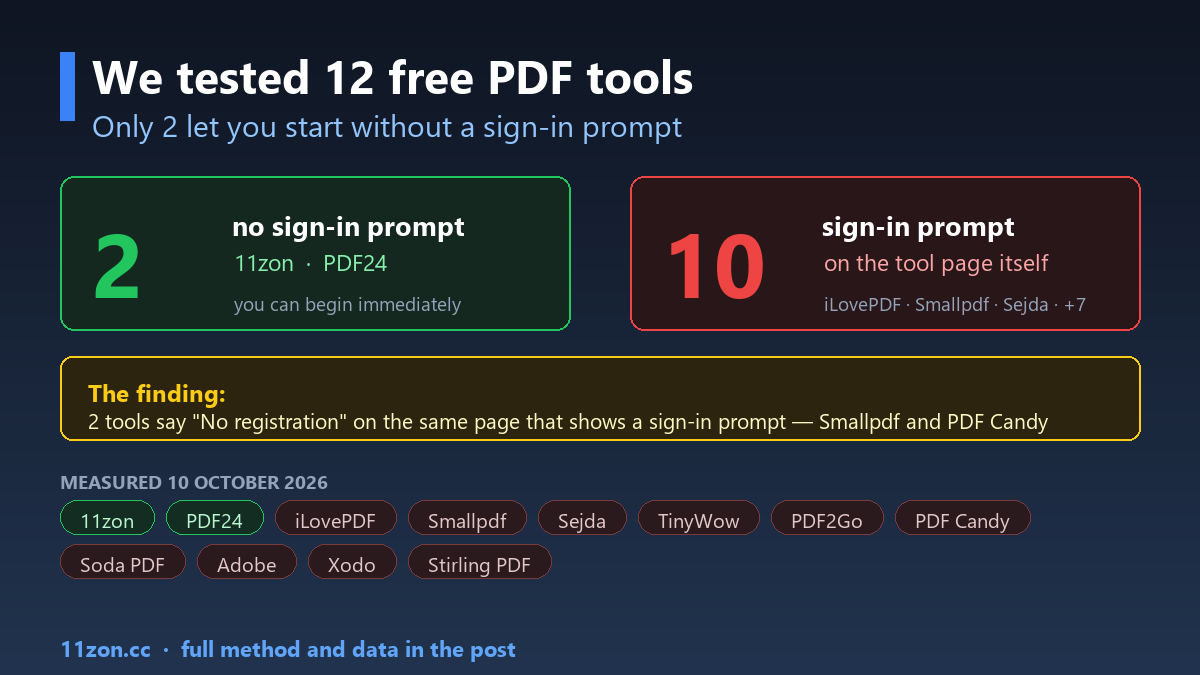
The answer surprised us. Of the twelve, only two present a tool you can begin using with no sign-in prompt on the page at all. Ten of them show one.
We are 11zon, so we have an obvious interest here — and we have written this page so you can check every claim yourself. The method is below, including what it does not prove.
What we measured
For each tool we loaded its merge PDF page in a browser on 10 October 2026 and recorded four things:
- Is there a file-upload input on arrival — can you begin?
- Does the page contain a sign-in, log-in or “create an account” prompt?
- Does the page make an explicit “no registration / no sign-up / no account” claim?
- What usage-limit or paywall language does it carry?
What we did not measure
This matters as much as the results, so it goes before the table rather than after it.
- We did not upload files. Sending real documents into twelve third-party services isn’t something we were willing to do on your behalf. So this measures the entry to each tool, not the finished job.
- A sign-in prompt is not the same as a wall. Plenty of tools let you start and ask for an account later — at download, at a file-count limit, or at export. We report that a prompt is present. We do not claim the tool is unusable.
- No prompt is not proof of no limits. Limits can be enforced silently.
- We read the claims; we did not audit them. Where a page says “No registration” and also renders a sign-in prompt, we report that as something we observed on the page.
The results
| Tool | Upload input on arrival | Page claims “no registration” | Sign-in prompt on page | Limit / paywall language |
|---|---|---|---|---|
| 11zon | Yes | Yes — “No Sign-Up” | No | — |
| PDF24 | Yes | “100% free” | No | “limit” |
| iLovePDF | Yes | — | sign up | — |
| Smallpdf | Yes | Yes — “No registration” | log in | “Free Trial”, “Unlock” |
| Sejda | Yes | — | log in | “per hour”, “Upgrade” |
| TinyWow | Yes | — | sign in | (captcha on page) |
| PDF2Go | Yes | — | log in · sign up | (captcha on page) |
| PDF Candy | Yes | Yes — “No registration” | log in · sign up | “per hour”, “limit”, “Unlock” |
| Soda PDF | Yes | — | sign in · sign up | “per day”, “limit” |
| Adobe Acrobat online | Yes | — | sign in | “Free trial” |
| Xodo | Yes | — | log in | “Free Trial” |
| Stirling PDF (hosted) | No — redirects to a login page | — | create an account | — |
Three things stood out
1. Only two of the twelve let you start with no sign-in prompt
11zon and PDF24. That is two out of twelve — and of the pair, 11zon is the one whose page also states the no-account position outright.
2. Ten of twelve carry a sign-in prompt on the tool page itself
That list includes tools most people would describe as simply “free”: iLovePDF, Smallpdf, Sejda, TinyWow, PDF2Go, PDF Candy, Soda PDF, Adobe’s online tool, Xodo, and Stirling PDF’s hosted version — which redirects you to a login before you reach the tool at all.
The pattern across those ten isn’t paid-versus-free. It is account-first design: the upload box is right there, and so is the request to sign in. Several pair it with per-hour or per-day language.
3. Two tools say “No registration” on the same page that shows a sign-in prompt
| Tool | Claim on the page | Also on the page |
|---|---|---|
| Smallpdf | “No registration”, “no sign-up”, “Free to use” | “log in” · “Free Trial” · “Unlock” |
| PDF Candy | “No registration” | “log in” · “sign up” · “per hour” · “limit” · “Unlock” |
We are describing what the page renders, not guessing at anyone’s intentions. Whether that contradiction actually costs you time depends on where the gate falls — which our test did not reach.
What this means if you just want to merge a PDF
If your only goal is to combine two files and get on with your day, the practical question is narrower than “which tool is best”: how many things stand between you and the finished file?
Based on what we measured, the shortest path is a tool with no account step and no upload step. Our own merge PDF tool runs in the browser, so the file never leaves your machine — which is also why there is nothing to sign up for. PDF24 came out the same way in this test, and if you want a second option it is a reasonable one.
If a tool does ask you to sign in, it is worth knowing when it asks. Some are honest about it up front; others ask at the very end, after you have already done the work.
Check it yourself
The pages change constantly — a tool that gates you today may not tomorrow, and the reverse is just as true. Everything above was recorded on 10 October 2026, and it is worth five minutes to look at the tool you are about to use rather than trusting any list, ours included.
If you spot something we got wrong, tell us and we will correct it and date the correction.
Method: for each tool, the merge PDF page was loaded in a desktop browser on 10 October 2026 and inspected for file-upload inputs, sign-in prompts, explicit no-registration claims and limit/paywall language. No files were uploaded, no accounts were created and no CAPTCHAs were solved. Results describe the entry point of each tool, not a completed conversion.
